SMART on FHIR: Secure Healthcare App Integration
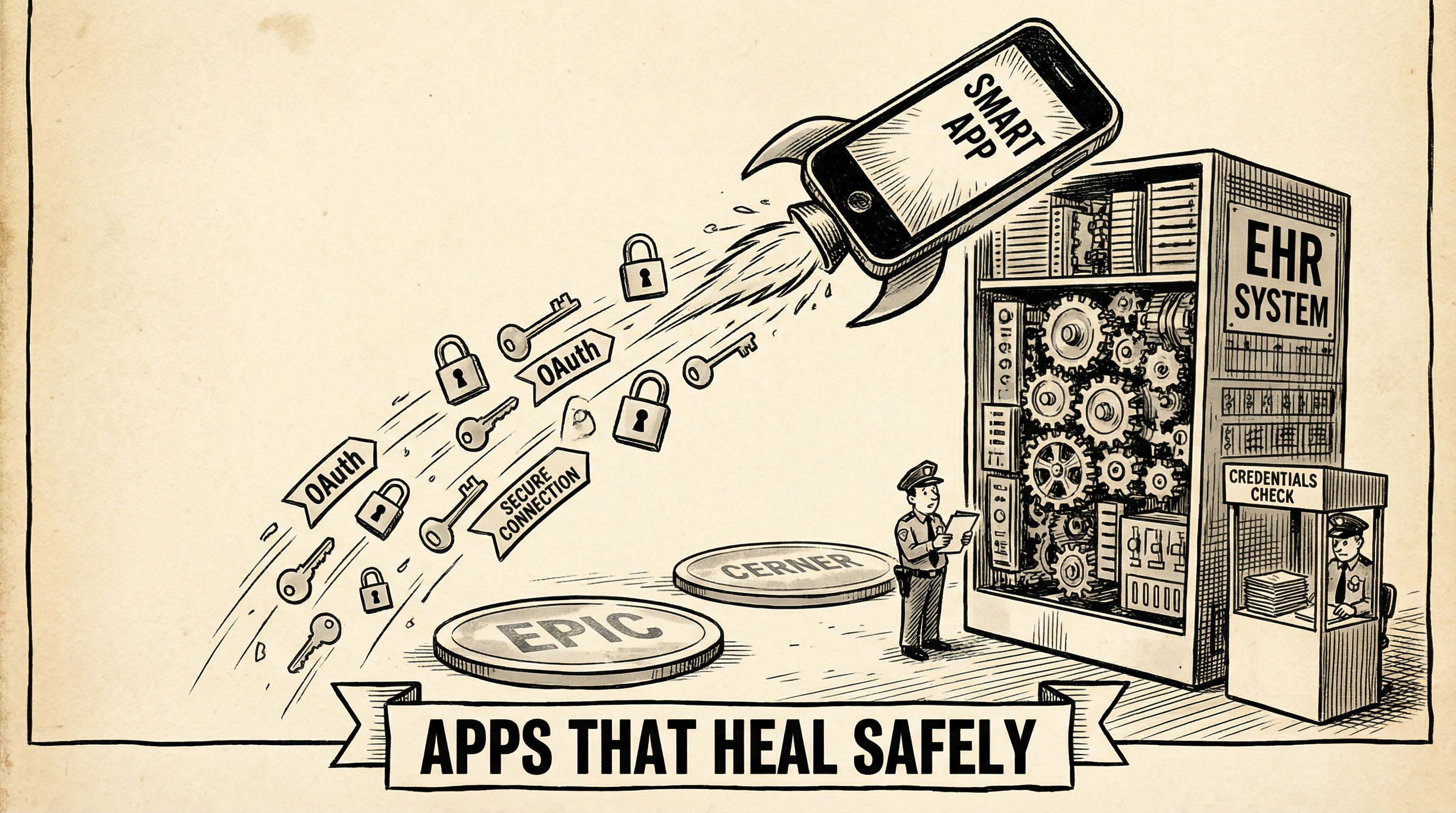
The Reader's Dilemma
Dear Marilyn,I want to build a healthcare app that works with Epic, Cerner, and other EHR systems. But the security requirements are terrifying—HIPAA, OAuth, patient consent. How do I build something that's both useful AND secure? Is there a standard way to do this?
Marilyn's Reply
You've discovered the golden key to healthcare app development: SMART on FHIR. It stands for "Substitutable Medical Applications, Reusable Technologies" and it's the standard that lets apps plug into EHR systems like apps plug into your smartphone.
The Spark: Understanding SMART on FHIR
What is SMART on FHIR?
SMART on FHIR is a set of open standards that enable third-party applications to integrate with EHR systems securely. Think of it as the "App Store" model for healthcare—apps can be launched from within the EHR, access patient data with proper authorization, and provide specialized functionality.
OAuth 2.0 for authorization, OpenID Connect for authentication
Fine-grained access control to specific resource types
Apps know which patient/encounter is in context
Apps work across different EHR platforms
The SMART Launch Sequence
When a clinician launches your app from within the EHR, a carefully choreographed dance begins:
EHR Launch
The EHR opens your app's launch URL with a launch parameter and iss (issuer) URL.
Discovery
Your app fetches the FHIR server's capability statement and OAuth endpoints from /.well-known/smart-configuration.
Authorization Request
Your app redirects to the authorization endpoint, requesting specific scopes (permissions).
User Consent
The EHR presents a consent screen; the user approves or denies access.
Token Exchange
Your app exchanges the authorization code for access and refresh tokens.
API Access
Your app uses the access token to make FHIR API calls for the patient in context.
Understanding Scopes
SMART scopes define exactly what data your app can access. They follow a pattern: context/resourceType.permission
| Scope | Meaning |
|---|---|
| patient/Patient.read | Read the current patient's demographics |
| patient/Observation.read | Read the current patient's observations |
| patient/MedicationRequest.write | Create/update medication orders for the patient |
| user/Patient.read | Read any patient the user has access to |
| launch/patient | Receive the patient ID in launch context |
| openid fhirUser | Get the logged-in user's identity |
Principle of Least Privilege: Only request the scopes your app actually needs. Requesting patient/*.read when you only need vitals will raise red flags during app review.
Code Example: SMART Launch
// Step 1: Handle the launch request
app.get('/launch', async (req, res) => {
  const { launch, iss } = req.query;

  // Store launch token for later
  req.session.launch = launch;
  req.session.iss = iss;

  // Fetch SMART configuration
  const config = await fetch(`${iss}/.well-known/smart-configuration`)
    .then(r => r.json());

  // Build authorization URL
  const authUrl = new URL(config.authorization_endpoint);
  authUrl.searchParams.set('response_type', 'code');
  authUrl.searchParams.set('client_id', CLIENT_ID);
  authUrl.searchParams.set('redirect_uri', REDIRECT_URI);
  authUrl.searchParams.set('scope', 'launch patient/Patient.read patient/Observation.read');
  authUrl.searchParams.set('state', generateState());
  authUrl.searchParams.set('aud', iss);
  authUrl.searchParams.set('launch', launch);

  res.redirect(authUrl.toString());
});
// Step 2: Handle the callback and exchange code for token
app.get('/callback', async (req, res) => {
  const { code, state } = req.query;

  // Verify state to prevent CSRF
  if (state !== req.session.state) {
    return res.status(400).send('Invalid state');
  }

  // Exchange code for tokens
  const tokenResponse = await fetch(tokenEndpoint, {
    method: 'POST',
    headers: { 'Content-Type': 'application/x-www-form-urlencoded' },
    body: new URLSearchParams({
      grant_type: 'authorization_code',
      code,
      redirect_uri: REDIRECT_URI,
      client_id: CLIENT_ID,
    })
  }).then(r => r.json());

  // Store tokens and patient context
  req.session.accessToken = tokenResponse.access_token;
  req.session.patientId = tokenResponse.patient;

  res.redirect('/app');
});
Major EHR Platforms Supporting SMART
Epic
App Orchard marketplace, extensive FHIR R4 support
Cerner (Oracle Health)
Code Console for app development, FHIR R4
Allscripts
Open API program, SMART on FHIR certified
athenahealth
Marketplace apps, FHIR API access
The Gauntlet: Test Your Knowledge
Quick Check
What does SMART stand for in SMART on FHIR?
Quick Check
What authentication protocol does SMART on FHIR use?
Quick Check
What is the purpose of SMART scopes?
Quick Check
What is the 'launch context' in SMART on FHIR?
Quick Check
Where does an app discover the EHR's OAuth endpoints?